When we run a control diagnostic, the first question is always the same: how many AI systems operate in the company. The usual answer is a number, said with confidence, that turns out to be two to four times too low by the time we finish looking.
It is not carelessness. It is that "AI system" no longer means the model the data team trained. It means the copilot a vendor switched on in the ERP with the last update, the agent marketing built with a no-code tool, the support bot calling a model API with a key someone paid for on the company card. None of them went through the committee.
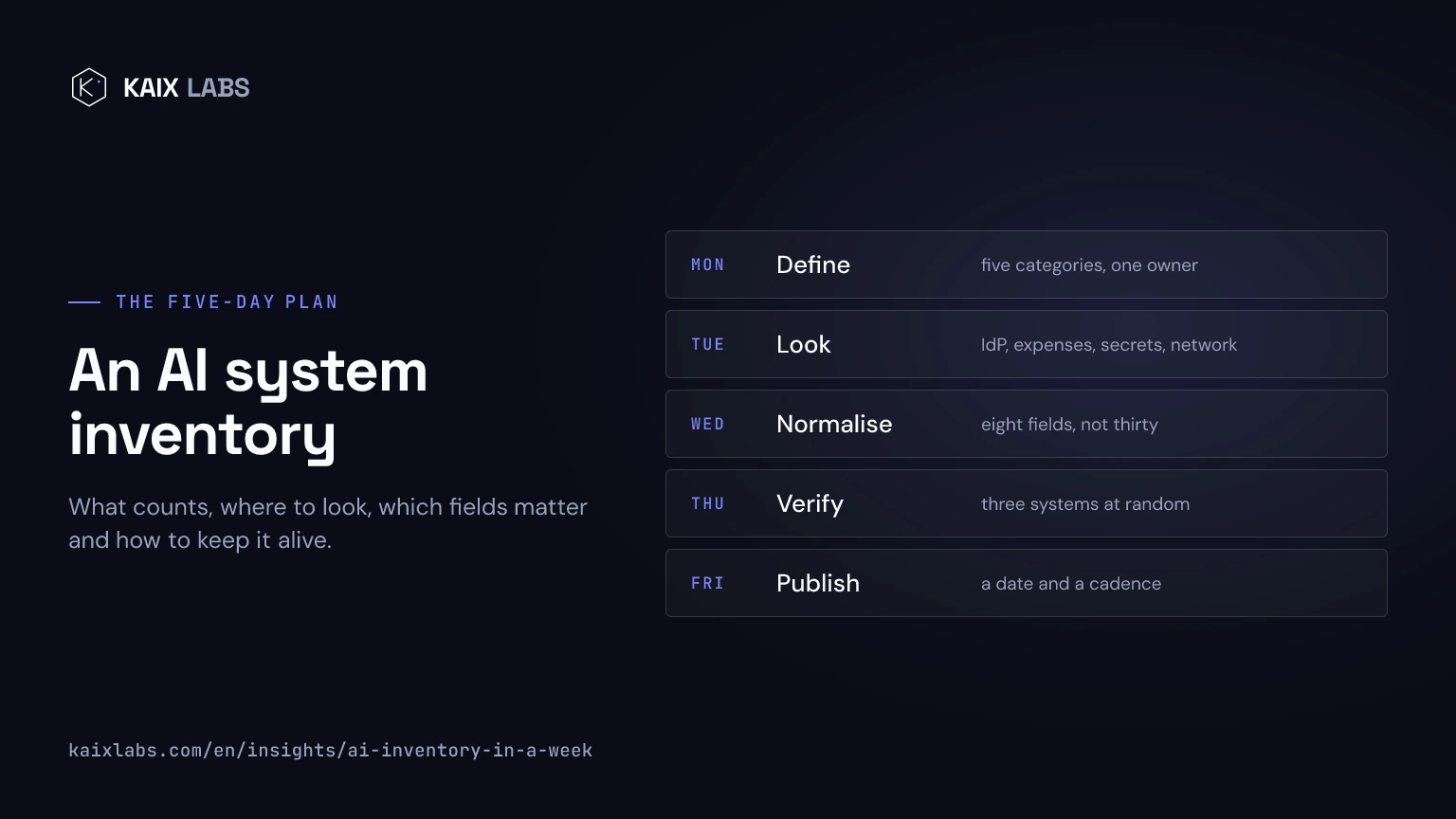
This is the plan we use to build that inventory in one working week. It is not perfect on day five. It is good enough to write policy on top of, which is what it is for.
Before you start: what counts as a system
Half the arguments in an inventory are about scope, so settle it first thing Monday. We count five categories:
- SaaS with embedded AI. Copilots and assistants that ship inside tools already in use: the office suite, the CRM, the helpdesk, the HR platform. The largest category and the most invisible.
- Internal applications on top of a model. Anything that calls a model provider's API or serves an in-house model: chatbots, classifiers, summarisers, document extraction.
- RAG systems. Applications that retrieve company documents to answer. They count separately because their risk sits in the sources, not the model.
- Agents with tools. Systems that take actions: send emails, create tickets, modify records, trigger deployments. These are the ones that need real operational governance.
- Models inside your own products. If the company sells software, the models inside what it sells, with their provider obligations under the Regulation.
What does not count, and it is worth saying so you do not lose Wednesday arguing about it: an employee's individual use of a public chat. That is acceptable-use policy, not inventory. If that tool is connected to company data, then it is category 1.
Monday: define and ask
Fix the scope with the five categories, pick who owns the inventory (one person, not a committee) and decide where it will live: a shared spreadsheet is enough the first time, and better than a tool nobody will know how to use next month.
In the afternoon, send each area lead a concrete request: the list of AI tools their team uses, with three fields, what they use it for, what data goes in and who bought it. Deadline: Wednesday noon. A vague request produces vague answers, so attach the category list and two examples.
Tuesday: look where they will not
The areas' answers cover what people remember. On Tuesday, cross them with four sources that do not depend on anyone's memory:
- The identity provider. The list of single-sign-on applications and, above all, the OAuth grants users have given to third-party apps. That is where the assistants someone connected to email or calendar show up.
- Expenses. A search in the expense tool and card statements for the names of the common model providers and agent platforms. Monthly subscriptions in an individual's name are the signature of shadow AI.
- The secrets manager and the code. Model provider API keys in the secrets manager, in deployment environment variables and in repositories. A search for the usual SDKs in your own code surfaces the internal applications nobody declared.
- The network. If there is a proxy or firewall logging destinations, outbound connections to model API domains, grouped by source. It is the only source that sees what is already in production even if nobody wrote it down.
Every finding goes into the sheet with a source mark. By the end of the day there are usually twice as many rows as on Monday.
Wednesday: normalise
With the areas' answers and Tuesday's findings, merge duplicates and fill in the fields that matter. Less is more: nobody updates a thirty-column inventory. These are the ones we use:
| Field | Why it matters |
|---|---|
| Name and category | To know which kind of risk we are talking about |
| Named owner | The person who can switch it off today, not a department |
| Purpose in one sentence | What it does, said the way a user would say it |
| Data going in | Personal, confidential, public; and from which sources |
| Tools it invokes | Agents only: which systems it can touch |
| Autonomy level | Suggests, acts with approval or acts alone |
| Vendor and contract | Who operates it and under what terms |
| Risk category | Under the Regulation, even if provisional |
If the last column raises doubts, the EU AI Act risk calculator settles it system by system in a few minutes.
Thursday: verify
An inventory nobody has checked is a wish list. On Thursday, pick three systems at random, ideally from different categories, and check three things: that the owner knows they are the owner, that they can switch the system off and know how, and that the tools the inventory declares match the ones the system actually has configured.
For agents, that last check is done by looking at the real configuration, not the documentation. It is where the surprises are, and why we devote a whole article to tool permissions.
If one of three samples fails, the inventory is not ready. Fix what failed and widen the sample.
Friday: publish and give it a cadence
On Friday, publish the inventory with its date, share it with leadership and security, and set the one rule that keeps it alive: whoever deploys a new system registers it before connecting it to company data, and the whole inventory is reviewed every quarter.
Without that rule, Friday's inventory is a snapshot. With it, it is the first governance control the company has running, and the one that answers check 1.1 of the agent control checklist.
What usually turns up
After a dozen inventories, three findings come up almost every time:
- Agents nobody called agents. Automations on no-code platforms that call a model and then take actions. They belong in category 4 even if the team that built them calls them flows.
- Copilots switched on by default. AI features the vendor enabled in an update that are already processing customer data without anyone having decided so.
- Shared keys. A single model provider API key used by four different applications, so neither spend nor trace can be attributed to any of them.
None of the three is a crisis. All three are invisible without an inventory, and with one they become a row with an owner and a date, which is what operational governance needs to get started. What comes after that first layer is in operational AI governance, and if you would rather do the week with us, it is the first phase of the control diagnostic.